Online booking for clinics, salons and barbershops: what actually helps
The paper diary leaks money three ways — missed calls, no-shows and double bookings. Here is what plugs each one, in the order that pays off fastest.
A clinic, a salon and a barbershop run on the same quiet machinery: a book of appointments, a few chairs or rooms, and a phone that only rings while you already have your hands full. When that machinery is a paper diary and a voicemail box, three things leak money every week — calls you never answered, chairs that sat empty because someone forgot, and the odd double booking that turns a good day sour. Here is what actually plugs those leaks, in the order that pays off fastest.
Let clients book themselves, day or night
Most booking requests do not arrive during working hours — they arrive at 22:00, from someone scrolling their phone in bed. If the only way to book you is to call back tomorrow, a good share of them simply book whoever answered first. A booking page and an embeddable widget on your own site fix that: the client picks the service, the provider and a free slot, and the appointment is on your calendar before you have read the message.
The part that matters is that those slots are real. The page reads your live availability — each provider’s working hours, breaks and days off, and the buffer you keep between appointments — so a client can never book a time that is not truly free, and two people can never land on the same chair. You decide, per service, whether a booking is confirmed instantly or waits for your approval.
The reminders that actually move the needle
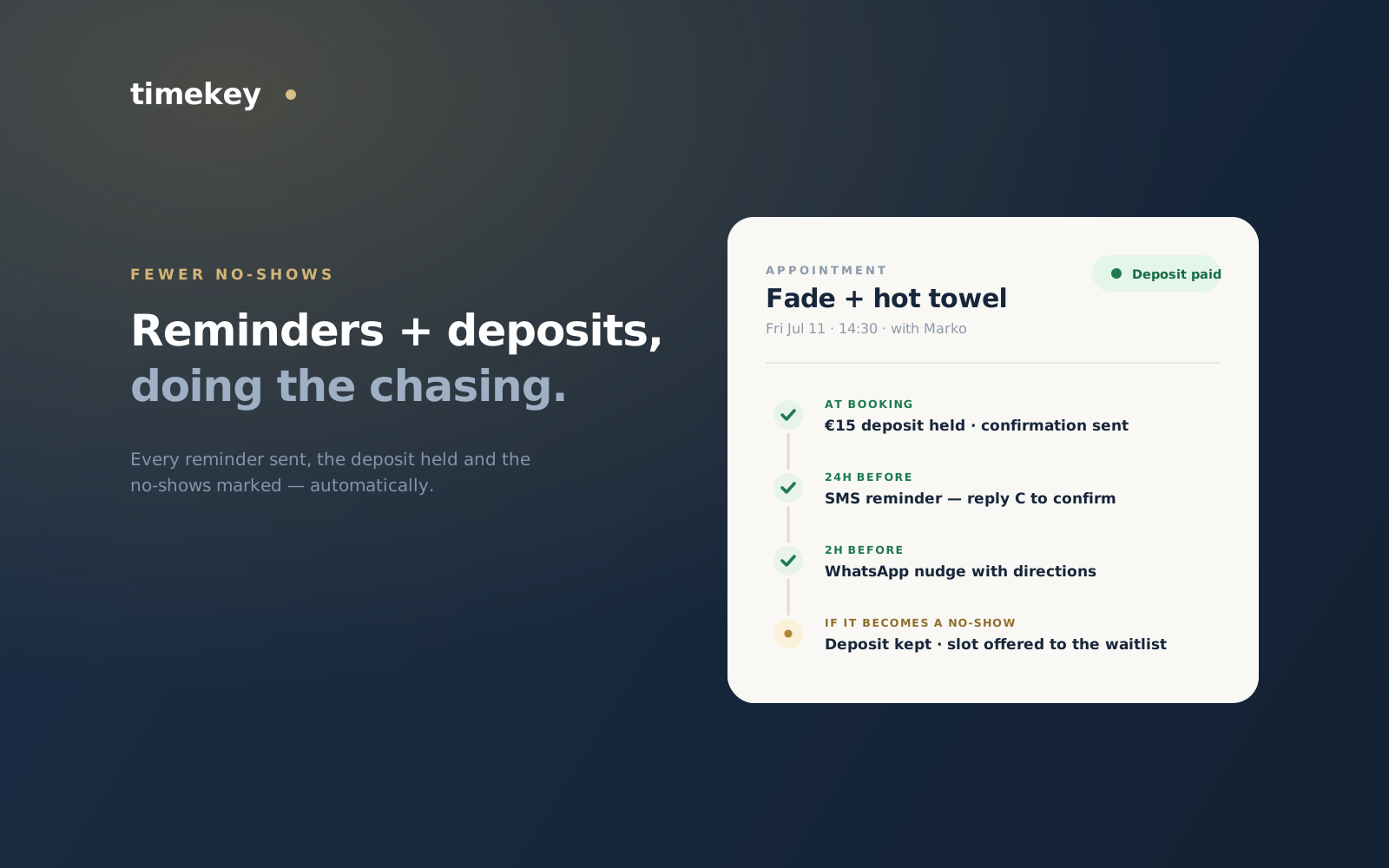
The single highest-return thing you can automate is the reminder. A confirmation the moment the appointment is made, a nudge the day before, and a short note a couple of hours ahead — sent by SMS, email or WhatsApp, on the timing you choose — turns most “I completely forgot” no-shows into arrivals. A reminder that lets the client reply to confirm or cancel is even better: the ones who cancel do it early enough for you to fill the slot.
Deposits: the quiet fix for the rest
Reminders catch the forgetful. Deposits catch the uncommitted. Asking for a small deposit to confirm — a fixed amount or a percentage of the service — changes the psychology of the booking without punishing good clients, because it comes off the final bill. You do not need it on everything: keep instant, deposit-free booking for regulars and quick services, and reserve deposits for the long, expensive appointments where a no-show costs you a whole afternoon.
One calendar the whole team trusts
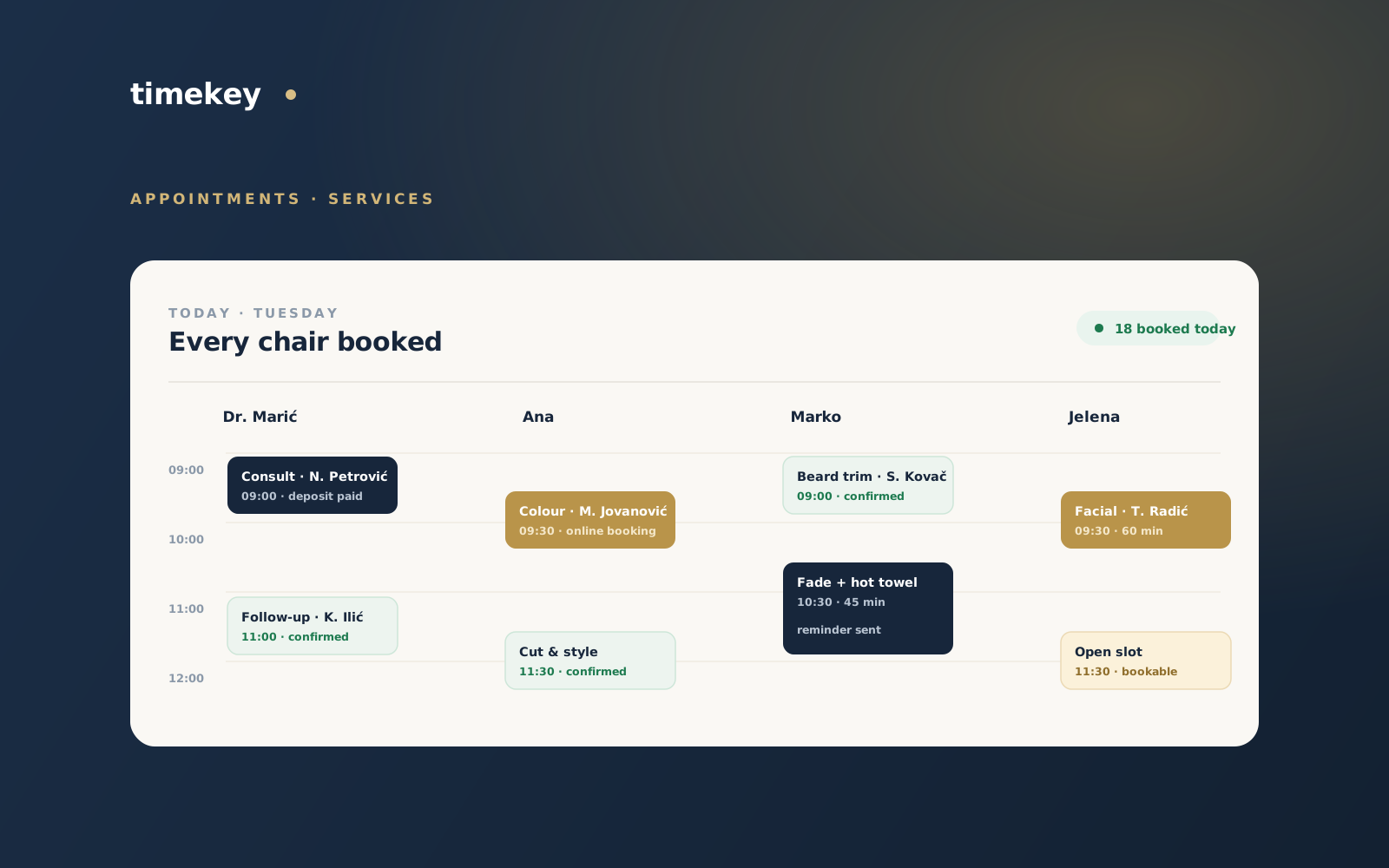
Walk-ins, phone bookings and online bookings all have to live in one place or the double bookings creep back in. When every provider’s day sits on a single colour-coded schedule, the front desk can see the whole shop at a glance, and a slot taken online closes everywhere on the spot. The same calendar carries the things a paper book cannot:
- Per-provider working hours, breaks and time off, so the schedule only ever offers real slots.
- Buffers before and after a service, so back-to-back bookings do not run into each other.
- Recurring appointments for the standing weekly and monthly regulars, set once.
- A waitlist that offers a freed-up slot to the next client in line when someone cancels.
After the visit is where the growth is
The appointment is not the end of the relationship, and this is where an appointment book quietly loses money that better software keeps. A review request sent automatically after the visit — to Google and to your own page — compounds into the reputation that fills next month. Birthday and win-back messages pull quiet clients back before they drift to the salon down the street. And a single client file — history, preferences, notes, total spent — means whoever is at the desk can treat a returning client like a regular, because the software remembers what a busy week makes you forget.
An AI receptionist for the calls you miss
Even with online booking, some people will always message or call — and they call exactly when you cannot pick up. An AI agent on WhatsApp, web chat and the phone answers those, checks your real availability, books the appointment and sends the payment link, then hands the conversation to a human the moment it should. It never invents a time you do not have, because it books against the same calendar as everything else. You can read more about how the AI agents work if that is the part you are missing most.
Where to start
You do not have to switch everything at once. Put your services and providers in, turn on confirmations and reminders, and add a booking page — that alone recovers most of what a paper diary leaks. Add deposits on your longest services next, then reviews and recurring appointments as they become the obvious next step. This is the setup TimeKey was originally built for; if you want the whole picture, here is what it looks like for appointment businesses, and what it costs.